
Docs
How the pipeline works, what every option does, and exactly what each plan includes — no surprises.
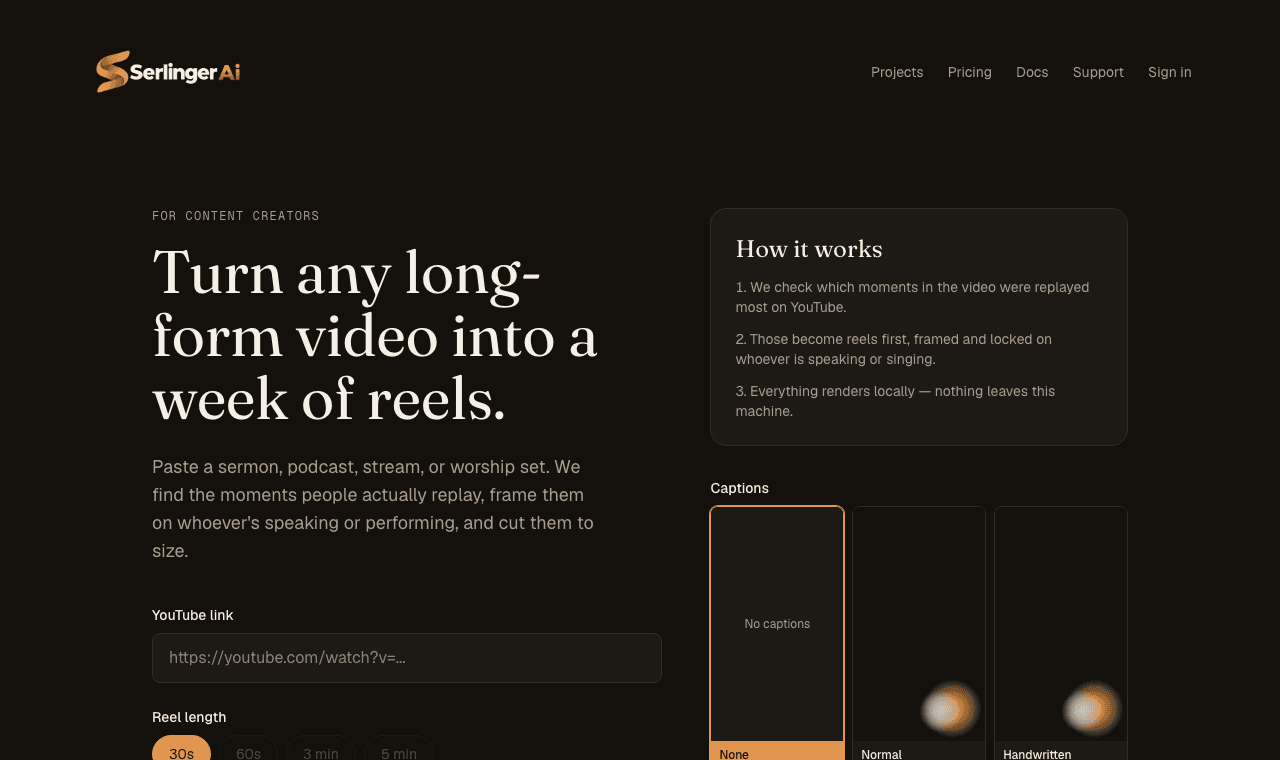
Four steps, start to finish:
01
Paste a link
YouTube URL, or upload a file on Enterprise
02
Choose options
Length, count, quality, captions
03
Generate
Runs on our servers — leave any time
04
Download
Each reel, or all as a .zip
Everything after step 3 runs on our servers, not your browser. You can close the tab or step away the moment you land on the progress page — it keeps working, and you'll find it finished (or still going) whenever you come back via your projects.
Paste any public YouTube URL and we pull the video, its title, thumbnail, and — if YouTube has computed it — the "most replayed" data for that video.
Enterprise plan only: skip YouTube entirely and upload a video file directly (MP4, MOV, MKV, or WebM, up to 2GB). Useful for recordings that were never made public.
Choose one or more length presets — 30s, 60s, 3 min, or 5 min — and how many reels you want out of a single video. Longer presets and higher counts are capped by your plan; the app only ever shows you options your plan actually allows.
The number of reels you can request is also naturally limited by how long your source video is — we won't promise more non-overlapping highlights than actually fit.
Five tiers, gated by two things:
Seven burned-in caption looks, each available in three sizes (small, medium, large):
Text automatically shrinks to fit the frame if a single word is too long to fit at your chosen size — nothing ever runs off the edge of the video.
Your own logo is optional, available on every plan, and yours to control — upload an image, choose static bottom-center placement or a DVD-style bouncing animation, and it's sized proportionally to your chosen quality.
The Serlinger Ai mark is separate: a small "Made with Serlinger Ai" watermark in the top-right corner, included automatically on the free plan and not removable there — it's part of what makes the free plan free. Paid plans don't have it. If you also upload your own logo on the free plan, both appear at once, in different corners, so they never overlap.
When YouTube has computed "most replayed" data for a video, we use it directly — the moments real viewers rewatched most become your reels first.
Most videos — especially smaller channels — don't have this data yet. When it's missing, we fall back to analyzing audio energy across the recording instead: louder, more animated passages score higher. Either way, reel boundaries snap to natural cut points so a reel never starts or ends mid-sentence if we can help it.
Every reel is cropped to 9:16 portrait and locked onto whoever's speaking or performing — framing holds steady for the whole shot instead of jittering around, and only repositions on an actual camera cut.
The crop box holds steady for the whole shot and only moves again on a camera cut — never a per-frame jitter.
| Plan | Price | Generations | Reels/session | Source length | Retention |
|---|---|---|---|---|---|
| Basic | $0 | 1, one time | 2, 30s each | — | 2 hours |
| Standard | $19/mo | 5/month | Up to 10 | Up to 90 min | 24 hours |
| Premium | $49/mo | 10/month | Up to 20 | Up to 2h30m | 7 days |
| Enterprise | $199/mo | 10/month | Up to 20 | Up to 2h30m + direct upload | 30 days |
Every paid plan unlocks quality up to 2K, no Serlinger Ai watermark, animated captions, your own logo, and priority rendering. Enterprise adds direct video upload, and will add auto-publishing to YouTube, TikTok, and Instagram (in progress).
Prices are shown in USD for reference — checkout runs through Paystack and charges the Naira equivalent. See current pricing →
A "generation" is one full run — pasting a link and hitting Generate — regardless of how many reels come out of it. The free plan gets exactly one, ever. Paid plans get a monthly allowance that resets each billing cycle.
Used your monthly allowance early? Buy extra generations any time as credits from the pricing page — they don't expire and roll over month to month.
Retention is how long a finished project stays available before it's deleted — 2 hours on Basic, up to 30 days on Enterprise. The countdown only starts once a project is actually done; it never counts down while something's still generating.
Upgrade or downgrade any time from the pricing page — your current plan is clearly marked there, with the other tiers labeled Upgrade or Downgrade depending on which direction they are.
Cancelling asks you to confirm first. Once confirmed, you keep everything your current plan gives you — full limits, full retention — until the period you already paid for actually ends. Only then do you drop to the free plan. You're never charged again after cancelling, and there's no partial refund for time already paid for.
If a renewal charge can't go through, we don't cut you off immediately — Paystack retries automatically over the following days. You'll see a banner across the app the moment a charge fails, and generating new reels pauses until it's resolved (anything already generated stays exactly as it was). If a retry succeeds, everything resumes with nothing lost. If retries run out, your plan lapses to free.
Can I close the tab while it's generating?
Yes. Generation runs entirely on our servers. Come back any time via your projects to check progress or grab the finished reels.
My video has no captions even though I picked a style — why?
Transcription occasionally fails on a given video. When that happens we still deliver your reels without captions rather than fail the whole job, and flag it clearly on the progress page.
Why wasn't 2K available for my video?
We only offer resolutions the source video actually supports, so you're never sold detail that isn't really there. Try a higher-resolution source if 2K matters for a specific video.
Still stuck?
Send us a message — a real person reads every one.